「印刷完了」タグアーカイブ

Ender-3d:サンプルを作成印刷その3

Creality slicerによる設定を確認してみた。
まず一番時間がかかる個所
I checked the settings by Creality slicer.
First place where it takes the most time
print support structure
印刷サポート構造
platform adhesion
プラットフォーム接着
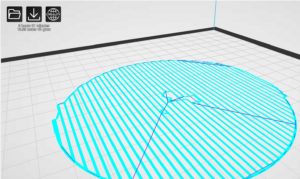
Raft
いかだ
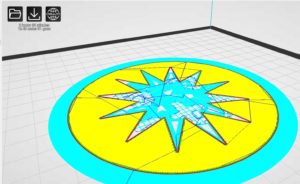
brim
エッジ
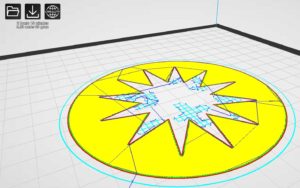
none
無し
SnapCrab_20191230_142547_No-0000
Raft
いかだ
SnapCrab_20191230_142631_No-0000
brim
エッジ
SnapCrab_20191230_142728_No-0000
none
無し
SnapCrab_20191230_142828_No-0000

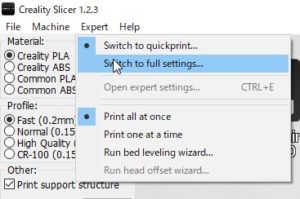
次に、この設定で詳細に設定してみる。
Next, let’s make detailed settings with this setting.
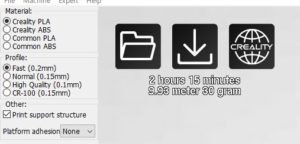
SnapCrab_20191230_143232_No-0000
このモードを選択
Select this mode
SnapCrab_20191230_143318_No-0000
設定をコピーしますかのメッセージ
これは、OK
Do you want to copy settings?
This is OK
SnapCrab_20191230_143320_No-0000

ベットの温度を上昇させなくてもズレは無かったので
今回も40-45度に設定
ペットのりで簡易的な剥離試してみた。
積層 6階層で剥離!
まず問題点はペットのりがダメなようだ
既に乾燥しているので高速な印刷で
とりあえず、60度でペットノリはやめて印刷する。
そうすると問題なく印刷された。

There was no gap without raising the temperature of the bed
Again set to 40-45 degrees
I tried a simple peeling with a pet glue.
Laminated 6 layers!
The first problem is that pet glue seems to be useless
High-speed printing because it is already dry
For now, stop printing at 60 degrees and print.
Then it was printed without any problems.

今回は、
platform adhesion
プラットフォーム接着
none
無し
で設定

ついでにペットの糊を利用してみた。
さすがに、ベットも再調整
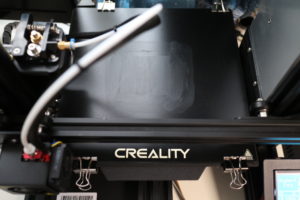
IMG_3225
There was no gap without raising the temperature of the bed
Again set to 40-45 degrees
This time,
platform adhesion
Platform bonding
none
None
Set with

I tried using pet glue.
As expected, the bet has been readjusted

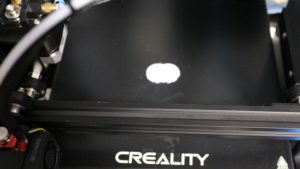
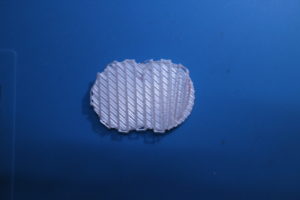
印刷状況
IMG_3228
Printing status

余良くできたスライサーだと思います。
1層目の外周は、待機フィラメントを余分にプリントします
開始位置の不用意なフィラメント出力にならない。
早いに設定すると一部隙間が出ました。
ノズル0.4だけど、0.2ノズルも購入したので
この状態だとあまり気にならない。
失敗する気がしない。(^^)>
I think it is a good slicer.
The outer periphery of the first layer prints extra standby filament
There is no inadvertent filament output at the start position.
Some gaps appeared when set early.
I bought 0.4 nozzle but 0.2 nozzle
In this state, I don’t care much.
I don’t feel like failing. (^^)>

2時間33分 10.98mと出た。
積層は、40層
Ender-3d:サンプルを作成印刷その2

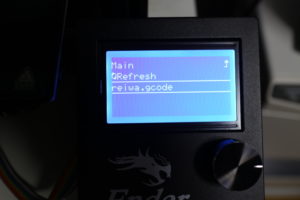
マイクロSDにデータを保存
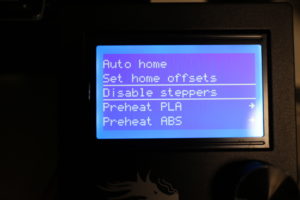
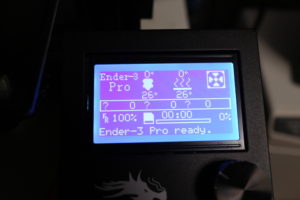
ender-3proの起動
Save data to micro SD
Launch ender-3pro
IMG_3189
sdから読み込み
印刷拡張子は、.gcode がそのデータに当たる。
これには、スライスの手順とプリンターの設定値や温度設定
クールダウン時間なども含む。
印刷時には、問題なければ go homeは必要ない。
フィラメントは環境由来という事で湿度などに影響するかと思いカバーを証着している。
read from sd
The print extension is .gcode.
This includes slicing procedures and printer settings and temperature settings.
Including cool down time.
When printing, 問題 go home is not necessary if there is no problem.
We believe that the filament affects the humidity etc. because it is derived from the environment, and proves the cover.
IMG_3192
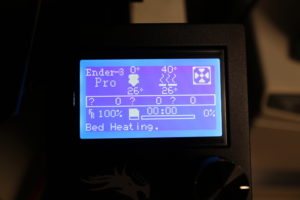
データを選択。
ベットを温めているぜと
Select data.
I’m warming my bed
IMG_3193
上昇している。
問題なし。表示と大差違いは無い。
It is rising.
no problem. There is no big difference from the display.
IMG_3200
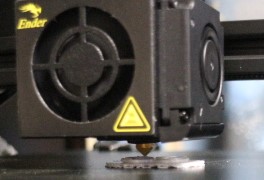
印刷を開始した。
イニシャライズの確認。
途中で止めてフィラメントの台座を、ガラスに定着しているか確認。
全く問題ない。
ペットのりなども使用していない。
ベット温度は、45度
積層の精度を確認
理想の状態です。
IMG_3202
Printing started.
Confirmation of initialization.
Stop it halfway and check if the filament pedestal is fixed on the glass.
No problem at all.
No pet glue is used.
Bed temperature is 45 degrees
Check the accuracy of lamination
It is an ideal state.

作業音
容量 11mg
Work sound
Capacity 11mg


はじめだけ感じるがその後は静か
完成
Feel only at the beginning, but then quiet
Complete
IMG_3204
IMG_3203

クールダウンを確認
Check cool down
IMG_3208
ベットを手動にする。
Place bets manually.

ちょっとヘラを充てると取れました。
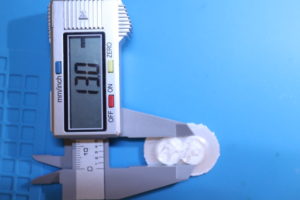
精度を確認
13.0mmで作成したので誤差0.00です。
A little spatula was removed.
Check accuracy
The error is 0.00 because it was created with 13.0mm.
IMG_3212
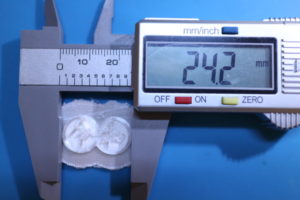
24.2mmで作成したので誤差0.00です。
The error is 0.00 because it was created with 24.2mm.
IMG_3213

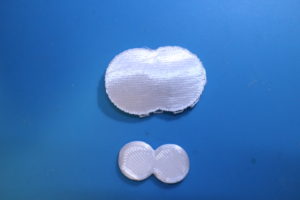
剥離前の台座
IMG_3214
Pedestal before peeling

剥離後
IMG_3215
After peeling

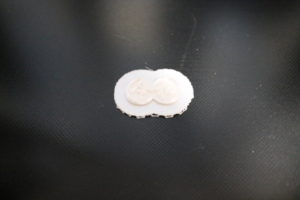
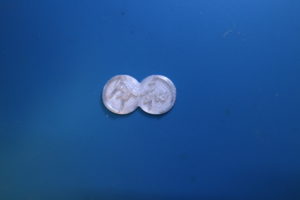
作成本体
IMG_3216
Creation body

はじめとしては、完ぺきだった。