
表面に穴をあけたいこれが厄介だ
まずオブジェクト
追加
メッシュ
円を選択
拡大縮小で8mmまで拡大。
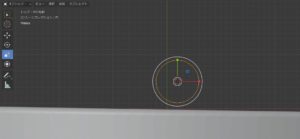
I want to make a hole in the surface
First object
add to
mesh
Select circle
Scale up to 8mm.
次に
編集モード
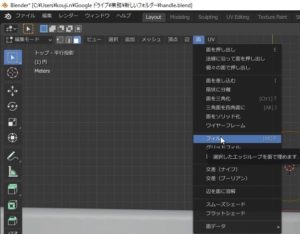
next
Edit mode
これで円が、メッシュとなり
操作ができるようになる。
※ショートカットキーもあるが一様に動作しているか不明瞭
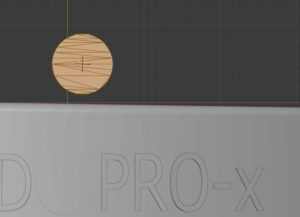
This makes the circle a mesh
Be able to operate.
* There is a shortcut key, but it is unclear whether it works uniformly
次に開けたいオブジェクトの投影できる位置に移動する。
アクションカメラの軸受け径は6mmなので余裕を見て8mmにした。
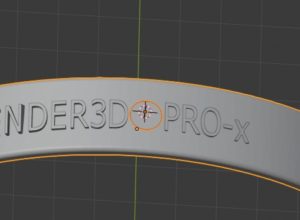
Next, move to a position where the object to be opened can be projected.
Since the bearing diameter of the action camera is 6mm, it was set to 8mm for extra room.
オブジェクトモードで円と穴をあけるオブジェクト同時に選択する。
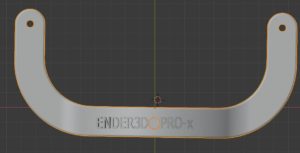
In the object mode, select a circle and an object to make a hole at the same time.
そして編集モード
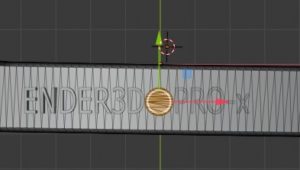
And edit mode
面
メッシュ
ナイフ投影
で穴をあけるオブジェクトに円が投影される。
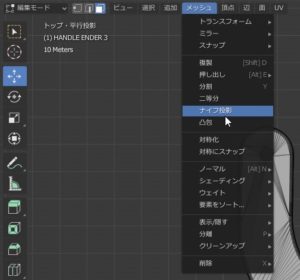
surface
mesh
Knife projection
A circle is projected on the object to be drilled with.
そのまま押し出しで穴をあけられる。
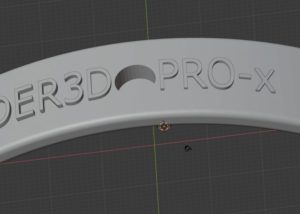
You can make a hole by extrusion.