
画面周りの調整
ノートブックや作業に集中したい、マルチモニターだ!
と思った時のイライラ感のすっきり!
このブレンダーの素晴らしいところ操作にまでクオリティーが統一されている感!
最近、リボンUI的な操作方法に課金せず、強要せず、何気に良い点でした。
まず、
画面構成については、
Screen rotation adjustment
A multi-monitor that wants to focus on notebooks and work!
Refreshing frustration when I thought!
Feeling that the quality is unified even in the operation of this blender’s wonderful place!
Recently, I didn’t charge for the ribbon UI-like operation method, and I didn’t force it.
First,
For screen configuration,
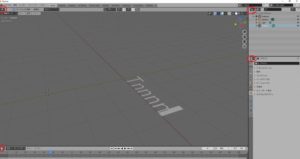
この赤い丸は、基本的に表示が変更できる。
デフォルトは、
4つの画面構成
右上
3Dビュータイプ
The display of this red circle can be basically changed.
The default is
4 screen configurations
Upper right
3D view type

左上
アウトライナー
upper left
Outliner

右下
タイムライン
Lower right
Timeline

左下
プロパティ
Lower left
Property

ここを、
Here,
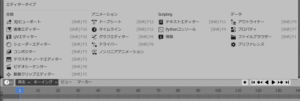
これに表示を変更できる事。
これは素晴らしい。
窓を開いて、最大化、最小化などを経ることが全くない。
これで、直感的でないなーと思っていたら
常時表示できた。
Being able to change the display to this.
This is fantastic.
No windows are opened, maximized, minimized, etc.
If you think that this is not intuitive
It was always displayed.