
友人に聞かれた方法で解決した面白いこと
OS:Windows10 1803
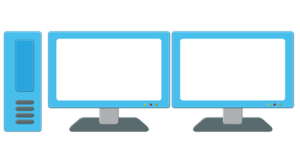
利用方法は、このようないわゆるマルチモニター
Funny things settled in a way asked by a friend
How to use this kind of so-called multi monitor
このモニターに、1つの画面を表示する。
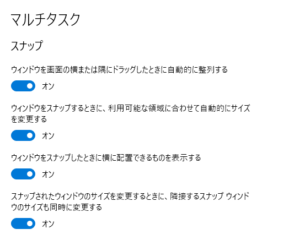
デスプレイの設定
マルチタスク
One screen is displayed on this monitor.
Setting up the display
Multitasking
この設定
の場合、
画面一杯に調整された画面フォーム
マウスでトップバー(上の上段)をドラックしながら移動!
これは、コントロールできる。
This setting
in the case of,
Screen form that has been adjusted to fill the screen
Move with the mouse while dragging the top bar (top upper)!
This can be controlled.
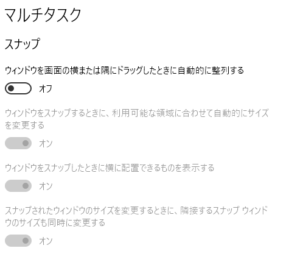
この設定の場合、
画面一杯にするために
マウスでトップバー(上の上段)をダブルクリックもしくは
最大をクリックして調整した画面フォーム
これは、いくらマウスをトップバー(上の上段)をドラックしながら移動はできない。
In this setting,
In order to fill the screen
Double-click or the top bar (top above) with the mouse
Screen form has been adjusted by clicking on the maximum
This is, you can not move while dragging the top bar (top above) how much mouse.
この理由は、わかると思う。
自動調整された画面フォームは、既存の配置は変更されていない。
マウスでトップをドラックした場合、既存の設定にマウスが誘導されるので移動できる。
手動調整された画面フォームは、既存の配置が変更されているので移動できない。
I think I understand this reason.
Auto adjusted screen form, the existing arrangement has not been changed.
If you drag the top with the mouse, because the mouse is induced to the existing settings it can be moved.
Manual adjusted screen form, can not move since the existing arrangement has been modified.
勉強になりました。
I learned a lot.