
次にフックの部分を作る
これも同様
オブジェクト
追加
カーブ
ペジエ
円
これが2つ必要
例えばどれかが別なオブジェクトに変更されるとこれはできない。
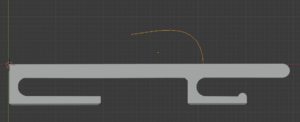
Next, make the hook part
This is the same
object
add to
curve
Pezier
Circle
I need two of these
This is not possible if, for example, one is changed to another object.
ペジエ
を選択
モデファイヤーの追加
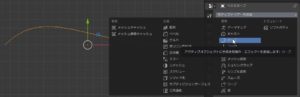
Pezier
choose
Adding a modifier
カーブ
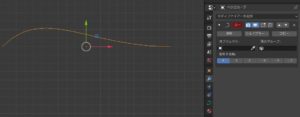
curve
沿わせるオブジェクトを選択
Select objects to follow
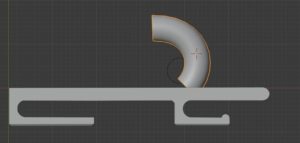
これも同様に編集モードでしっくり位置へ移動
変形は、
頂点をクリックして移動する。
表示は、基本的にZ軸モードにした。
Pezier
choose
This also moves to the position in the edit mode
The deformation is
Click and move a vertex.
The display was basically in the Z-axis mode.
こんな感じになる。
何回かトライする。
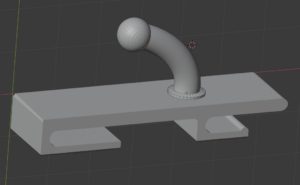
It looks like this.
Try several times.
とりあえず完成としよう。
Let’s complete it for now.
んー
39分もかかる
Hmm
Takes 39 minutes
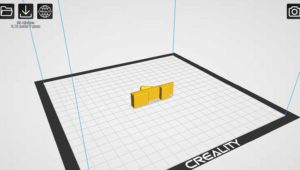
まずは、テストだけど
完成すると最後は、培養
おお 10時間もかかる。
それで31m
やっぱり1個作成してからだな。
First, test
When it is completed, finally, culture
It takes about 10 hours.
So 31m
After all, make one.
1個目にしては、上出来かな?
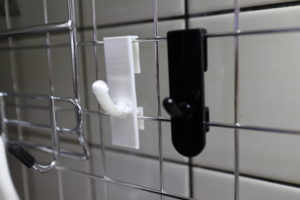
Is it good for the first one?
屈曲の強度も良い。
すべてメッシュに成型しなくて正解。
積層の中身は、スカスカなので強度が必要なところはあえて
別途オブジェクトを挿入
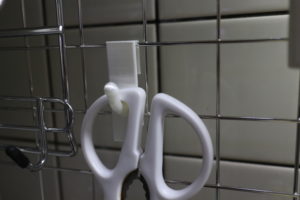
Good bending strength.
Correct answer without molding everything into mesh.
Since the contents of the laminate are sparse, dare to place where strength is required
Insert object separately