
昔は、良かったGOM Player 韓国!
In the past, it was good “GOM Player” Korea!
今じゃ広告が起動時に必ず表示されて面倒な状態
Cumbersome state advertising’m now is always displayed at the time of start-up
これが画面!
This is the screen!
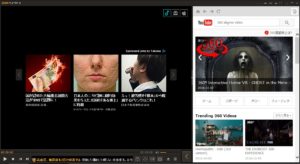
数度ならいざ知らず本当に迷惑状態になったので、簡単に視聴できてキャプチャできれば条件で結局元にもどりました。
It became so really annoying state without knowing emergency if a few degrees, was to return to eventually source on the condition if possible capture can watch easily.
昔、VLCは簡単で良かったが、キャプチャと視聴があまり便利でなかったので視聴サイズに全画面になることがちょっとだったけど
今では、この点を調べて
Once upon a time, “VLC” but was good and easy, but “capture” and “viewing” was a little be a full-screen viewing size so was not very useful
Now, check this point
VLCメディアプレイヤーの画面のサイズをどうやって好きなサイズで固定するか?
How to fix in a size you like doing the size of the screen of the “VLC media player”?
メニューバーの、ツール > Preferences > (左側)インターフェース
で、ウィンドウ右側の「インターフェース設定」の真ん中あたりの、
Resize interface to video size
もしくは日本語 ルックアンドフィール>ビデオのサイズにインターフェースをリサイズ
のチェックをはずす
保存→VLCを再起動
で可能となり、おお!て感じ。
全く広告も無いので
Of the menu bar, Tools> Preferences> (left) interface
In, the right side of the window per the middle of the “Interface Settings”,
Resize interface to video size
Or resize the interface to the size of the Japanese look and feel> Video
Remove the check
Restart the save → VLC
In possible and will, oh! Feeling on.
Since absolutely no advertising

寄付もいいかなって。
オフィシャルはこちら
Donations also good kana me.
Official is here
http://www.videolan.org/
キャプチャも
デインターレース制御の搭載しているので、ブロックノイズの無いキャプチャも可能
デインターレースは、インターレース方式の映像を非インターレース方式の映像に変換すること。
モードも種類によって特殊なこともできるねってことで、
補う走査線の強弱を補完できるので白いけど何?と感じる場合はモードで明確になる場合もある。
これで、強制広告のGOMをアンインストールできました。(^^)/
Also capture
Because it is equipped with a de-interlacing control, capture without block noise can also be
De-interlace, it converts the video interlaced in the video of the non-interlaced mode.
Mode also that mean it can also be a special depending on the type,
What I white because the intensity of the scanning lines to compensate can supplement? If you feel there is a case that becomes clear in the mode.
Now, you can uninstall the GOM of forced advertising. (^^) /