2013,2014の時もあったけど
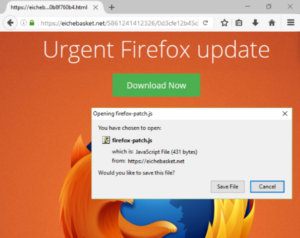
Firefox 50.1.0 に偽のアップデート警告が来て偽のサイトに誘導して firefox-patch.js 、firefox-patch.exe と言うファイルをダウンロード
There were also times 2013, 2014
A fake update warning came to Firefox 50.1.0 and guided it to a fake site
Download “firefox-patch.js”, “firefox-patch.exe” file
注意してね。
Be careful.
” target=”_blank”>https://support.mozilla.org/en-US/kb/i-found-fake-firefox-update
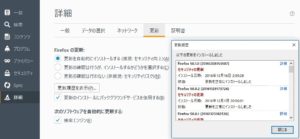
このような危険回避のオプションの「詳細」→「更新」で「更新を自動的にインストールする(推奨:セキュリティ向上)」にチェックを入れておけば(デフォルトでチェックしてある)自動的に更新されて起動すれば更新される.
The option of such risk avoidance
“Install updates automatically (Recommended: Improve security)” in “Details” → “Update”
If checked (it is checked by default) automatically
It is updated when updated and updated.
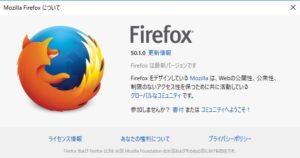
あるいはメニューの「ヘルプ」→「Firefox について」を開けば更新があればダウンロードを自動的に行って再起動を要請される.
Or you can open the menu “Help” → “About Firefox”
If there is an update, it will be downloaded automatically and requested to restart.