
操作していると急に視点が変わる?
平行投影
Does the viewpoint change suddenly while operating?
Parallel projection

透視投影
Perspective projection

え?
画面上で 5で切り替え
Switch on screen with 5
「2.8」タグアーカイブ
Blender:オブジェクトの合成!
メッシュオブジェクトに変換すると何でも可能となる!
まず、合成!
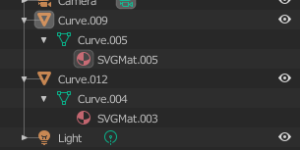
Convert to a mesh object and you can do anything!
First, synthesis!
この状態で
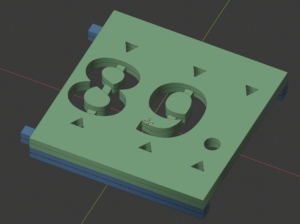
In this state
合わせるオブジェクトを選択
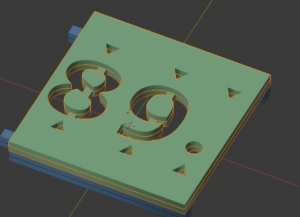
Select objects to fit
結合は、
CHRL+J
もしくは、統合を選択で完了
早!
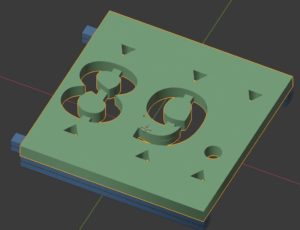
The join is
CHRL + J
Alternatively, select integration to complete
Early!
オブジェクトは、このようになります。
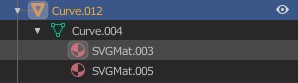
The object looks like this.
簡単ですね。
ベース色が違うと違うままで結合されるのは非常に便利です。
ざっくり作成して編集箇所が分かります。
That’s easy.
It is very convenient to combine them with different base colors.
You can roughly create and understand the edits.
Blender:オブジェクトの変更、頂点、辺、面が無い!
オブジェクトがメッシュの場合に表示される。
賢い!
svgから読み込んだデータを、頂点、辺、面をメッシュに変更できるようにすることで表示される。
まず、初めにオブジェクトがなんであるかを確認する。

Displayed when the object is a mesh.
smart!
Displayed by allowing data read from svg to be changed to meshes for vertices, sides, and faces.
First, check what the object is.
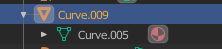
Curve(曲線)これだと
頂点、辺、面が無いので
メッシュに変更します。

Curve
Because there are no vertices, edges, or faces
Change to mesh.
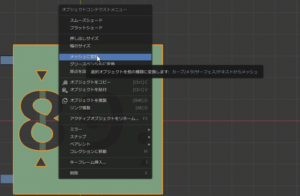
表示はほとんど変わりません。
変わる場合もあります。
The display is almost unchanged.
May change.
編集モードに変更すると
編集できるようになります。

When you change to edit mode
You will be able to edit.