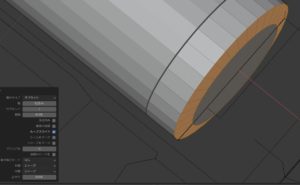
The grid really helps.
The 3d printer has a limit of about 210mm, so it is easy to imagine.
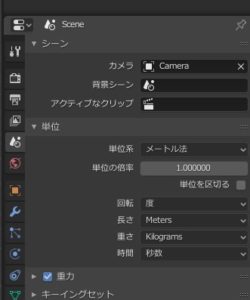
Set in units.
I didn’t know because there were various old explanations
this,
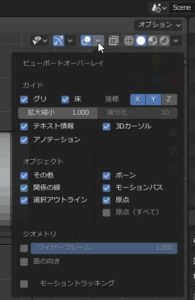
オーバレイ
ガイド
拡大縮小を0.1に変更します。
これでグリッドが1cmの区切りになります。
Overlay
guide
Change the scaling to 0.1.
The grid is now 1cm apart.
でも1.0で構わない。ズームすると細部で表示が変わる。
But 1.0 is fine. The display changes in detail when zoomed.
3dプリンターで印刷するモデリングしていると適当な採寸だと合成できない。
モヤモヤ感いっぱい。
そこで、単位をそろえて気持ち良く作りたい。
シーンのこのアイコン
単位で設定する。
When modeling with a 3d printer, it is not possible to combine images with proper measurements.
A lot of moyamoya feeling.
Therefore, we want to make the units comfortable.
This icon for the scene
Set in units.