「3dプリンター」カテゴリーアーカイブ

blender、ender3d pro

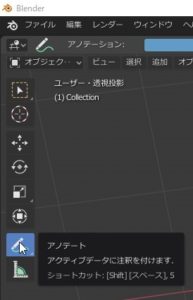
Blender:メモ(アノテート)の操作

メモ代わりに追加できる(アノテート)の操作
どこにでも書けるメモだけど
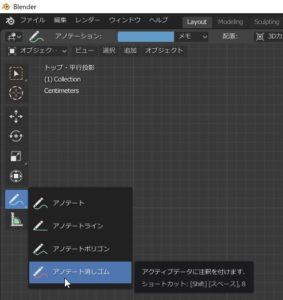
消すのはオブジェクトで無く
またアノテートにある消しゴムで消す。

SnapCrab_NoName_2020-1-7_18-48-41_No-00
Annotate operations that can be added instead of memos
It’s a note you can write anywhere
It ’s not an object to erase
Also erase with the eraser on the annotate.

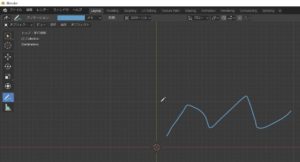
こんな感じ
SnapCrab_NoName_2020-1-7_18-50-40_No-00
Like this
これ
SnapCrab_NoName_2020-1-7_18-50-28_No-00
this

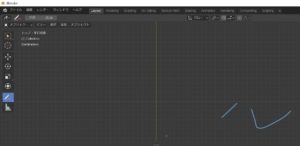
消した感じ
SnapCrab_NoName_2020-1-7_18-50-49_No-00
Feeling erased

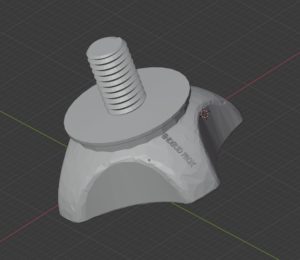
Blender:アクションカメラのネジを作ってみた

Ender 3d-proxのハンドルを作り
アクションカメラ(Goproではない)を設置できるようにしたが
※中華製カメラ 激安 レンズは、自分で修理
ネジが見当たら無い?
あれ?
とりあえず作ってみた
SnapCrab_NoName_2020-1-8_13-27-11_No-00

Ender-3d:フィラメントを炭素繊維含有タイプで印刷を行う1

純正のフィラメントを利用して全く失敗も無く、無難だった。
本当は、ABSなどを利用したいのはやまやまだが、まだまだ初心者
そこで炭素繊維含有があり、安い製品で問題なさそうな製品を選択。
まずこれで試してみようと思う。


There was no failure at all using the genuine filament and it was safe.
Actually, I still want to use ABS etc., but I am still a beginner
So we chose a product that contained carbon fiber and was a cheap product that did not seem to be a problem.
I’ll try this first.

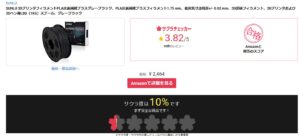
忘れてた事前のサクラチェッカー
これ、アマゾンだったら当たり前ですから
SnapCrab_NoName_2020-1-10_21-35-42_No-00
Forgotten Sakura Checker
This is natural for Amazon

ステンレスノズルを準備
あくまで、テスト用。

Prepare stainless nozzle
For testing purposes only.

ステンレスノズルを準備
純正では、0.4mmが付いてくるが
不慮の事故対策の他に、0.2mmブラシも用意

Prepare stainless nozzle
In the case of genuine, 0.4 mm is attached
0.2mm brushes are available in addition to accidental measures