「blender」カテゴリーアーカイブ

Blender:台所のペーパフォルダーを作成1

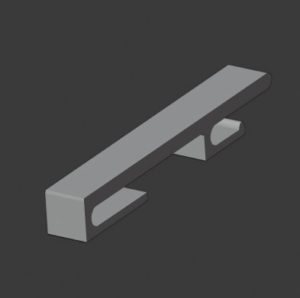
通常サイズの半分2個使って新たなペーパフォルダ用を作成設置
SnapCrab_NoName_2020-1-9_15-46-50_No-00
Create a new paper folder using two half the normal size

既存ペーパフォルダ大きすぎ
ストッパーないので火元よりできない。
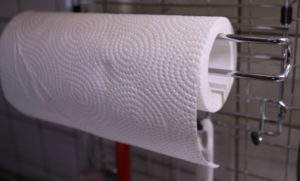
IMG_3302
Existing paper folder is too large
There is no stopper so you can’t do better than fire.
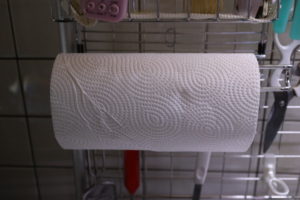
IMG_3304
百均のペーパフォルダ、ストッパー付き
サイズは調整しやすい
しかし裏は、磁石
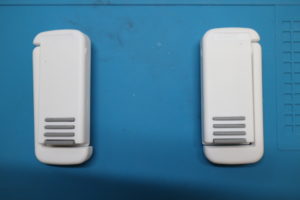
IMG_3309
Hyakuuni paper folder with stopper
Size is easy to adjust
But the back is a magnet

それを、このパーツでどこにでも装着できるように
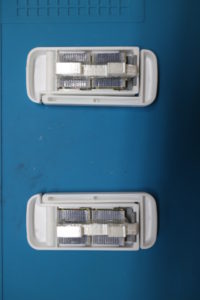
IMG_3310
It can be mounted anywhere with this part

ここに来てシルバーとマーカスホワイトの基調だったが
仕方ない。
この形状で作成は可能だが、ストッパー部と可動部の完成度良かったのでそのまま使う。
When I came here, it was silver and Marcus white
it can not be helped.
Although it can be created with this shape, the stopper part and the movable part were perfect, so they were used as they were.

DIY感もあまりなくよさげかと思う。
I don’t think there is much DIY feeling.
Blender:台所のフックを初めからモデリング作る6

ドラえもん状態発生!
あれこれ、始まった
妻が見れ工夫を見れという!
時間が
いやいや 見れという!
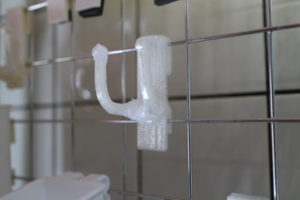
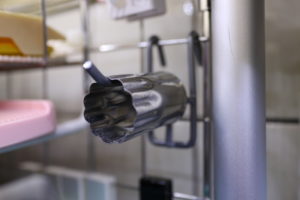
メッシュにぶら下がる型抜き
これも、すごいな (^^>
IMG_3300
Doraemon state occurs!
This has begun
Watch your wife and see your ideas!
The time
Say no!
Die cutting hanging on the mesh
This is also amazing (^^>

近くには、人感センサーLEDが設置されているので、これをどうにしろ!
という事かと思った。
A human sensor LED is installed nearby, so do whatever!
I thought that.

3dプリンターが無い時に設置したので結構醜い!
台所は、パートナー的な考え方で使うので
料理や食器などに出入りが激しい
電源のON OFFは正直 自分が使っていて面倒だったので
初めは音声認識、今は人感センサーとなっている。
費用は、300円ぐらいか? 最近の住宅には必須だと思う。
料理しながら、ON OFFは少々と思うからである。
それはさておき
It is quite ugly because it was installed when there was no 3d printer!
I use the kitchen in a partner-like way
Ingress and egress to dishes and tableware
ON / OFF of the power is honest.
At first it was voice recognition and now it is a human sensor.
Is the cost around 300 yen? と I think it is indispensable for recent housing.
Because while cooking, I think a little on off.
Aside
In a hurry
Additional modeling

急遽
追加モデリング
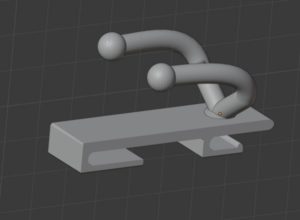
SnapCrab_NoName_2020-1-8_16-0-10_No-00
So in a hurry
Additional modeling

刃が出っ張るのはまずいだろう。
上にあげると重心を下にしないと傾くので少しさげ
1つで2個あればよいかと作ってみた。
刃が出っ張るのはまずいだろう。
上にあげると重心を下にしないと傾くので少しさげ
1つで2個あればよいかと作ってみた。

とりあえず、新しい作成方法でなく従来の方法でサクッとできた
For the time being, I was able to crisply with the conventional method instead of the new creation method

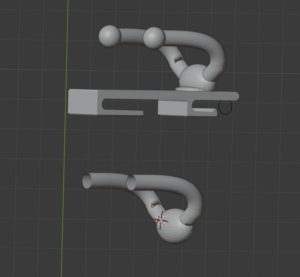
折れてしまった。
積層時に、屈曲部分が障害に。
変更
SnapCrab_NoName_2020-1-9_0-13-1_No-00
Broke.
The bending part becomes an obstacle during lamination.
Change

モディファイアータイプも同時に生成
Modifier type is generated at the same time

IMG_4600
https://www.thingiverse.com/thing:4770014

Blender:台所の籠用フックを作成1

至る所に妻のアイデア満載
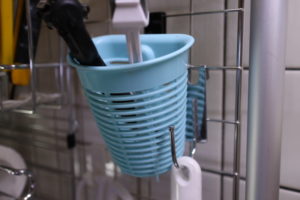
メッシュ用籠
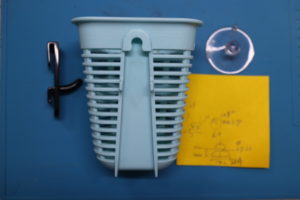
IMG_3285
Full of wife’s ideas everywhere
Basket for mesh

土台は、すでに出来ているのであとは接続部分のモデリング
IMG_3284
The foundation is already made and modeling the connection

他の製品でも使えるように汎用性を付け加えて
SnapCrab_NoName_2020-1-8_13-48-15_No-00
Add versatility to use with other products

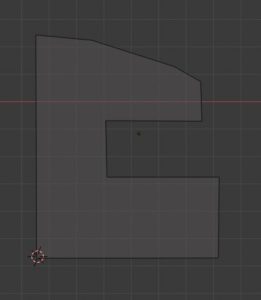
サクッと同様な作りでメッシュを作成
今度は押し出しを使わす回転体で作成
このようにしてから、
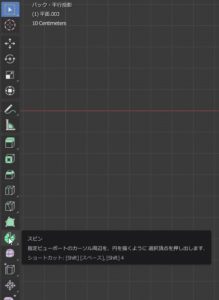
ツールを使うのでカーソルを設置する。
編集モード
回転させるオブジェクトを選択
スピン
を選択
SnapCrab_NoName_2020-1-8_13-56-55_No-00
Create mesh in the same way as crispy
Now created with a rotating body using extrusion
After doing this,
Set the cursor because the tool is used.
Edit mode
Select objects to rotate
spin
choose

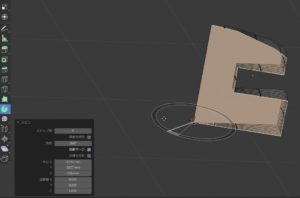
視点かえて
SnapCrab_NoName_2020-1-8_13-58-6_No-00
Change perspective

ステップ数だけ変更
SnapCrab_NoName_2020-1-8_13-58-11_No-00
Change only the number of steps

いい感じ
SnapCrab_NoName_2020-1-8_13-58-50_No-00
Good vibes

完成
SnapCrab_NoName_2020-1-8_14-13-37_No-00
Complete