ショートカットの割り当てを調べたい
I want to check the shortcut assignment
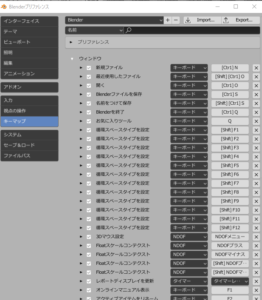
編集-プリファンレンス-キーマップ
非常に多くの設定ができる。
Edit-Preference-Keymap
There are so many settings.

ショートカットの割り当てを調べたい
I want to check the shortcut assignment
編集-プリファンレンス-キーマップ
非常に多くの設定ができる。
Edit-Preference-Keymap
There are so many settings.
3Dビューでグリグリすると奥が小さくなるのを、やめたい。
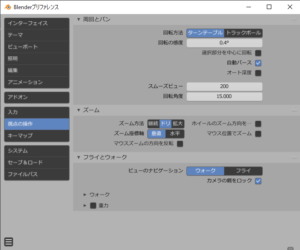
I don’t want the back to get smaller when I grind in the 3D view.
編集-プリファンレンス-視点の操作
自動パースのチェックがあるのでチェックを外す。
Edit-Preference-View Control
Remove the check because there is a check for automatic parsing.
とりあえずここまでわかれば、SVGから立体のSTLを生成できる。
まず、SVGで読み込む

Anyway, if you understand so far, you can generate 3D STL from SVG.
First, read in SVG
次に、オブジェクトの状態で
ジオメトリを選択
文字列でなく、オブジェクトとなっているので
選択してジオメトリの押し出しで厚みをつけて完了
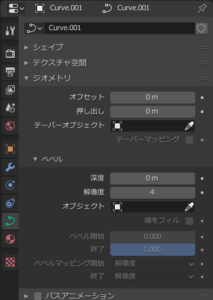
Next, in the state of the object
Select geometry
Since it is not a string but an object
Select and complete by extruding geometry with thickness
厚みは、5mmとした。
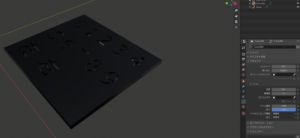
The thickness was 5 mm.
後は、STLを出力して終了。
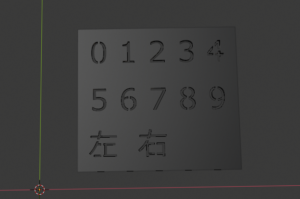
After that, output STL and end.