
モジュールESPで操作OLEDでの画面の大きさに少々不満で
ならという事でスマートホンホルダーを制作
通常でWIFI サーバ起動するのでこれで操作できれば簡単かと
そこで昔作成したデータをナイフで削除して合成しようと
Operation with module ESP I was a little dissatisfied with the screen size on OLED
Produce a smart phone holder
Normally the WIFI server starts, so if it can be operated with this, it will be easy
So I tried to combine the data created in the past with a knife
まずオブジェクトを選択
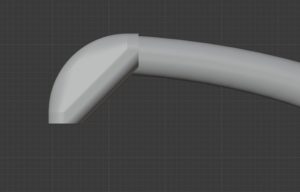
First select the object
編集モード
ナイフ
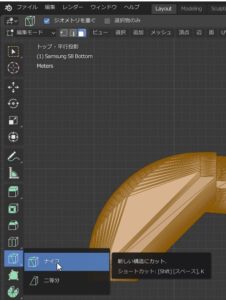
Edit mode
knife
初めの点を選択
切る方向線が出るので
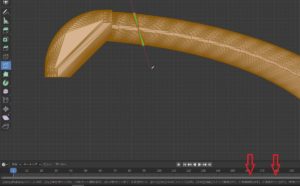
Select first point
Since the cutting direction line comes out
ここで
C
を押すと角度に制限を実施
Z
を押すと裏まで透過させるて切る
線を動かすと切る位置が明確に表示され

here
C
Press to limit the angle
Z
Press to cut through to the back
Moving the line clearly shows where to cut
最後に
左クリックで状態確認
スペースで確定。
向かって左が、ZをOFF 右が ZをON
ほとんどの場合は、ZをONだけど複雑なモデリングだと表面を回転しながら切るときには便利。
Finally
Left click to check status
Confirm with space.
The left side turns off Z, the right turns on Z
In most cases, Z is ON but complex modeling is useful when cutting while rotating the surface.